
Jabula Bets App — Android & iOS for South Africa
The Jabula Bets app puts the full platform in your pocket: sports betting, Aviator, live casino and instant ZAR deposits. Free to download for Android and iOS — the same account, the same balance, wherever you are in South Africa.
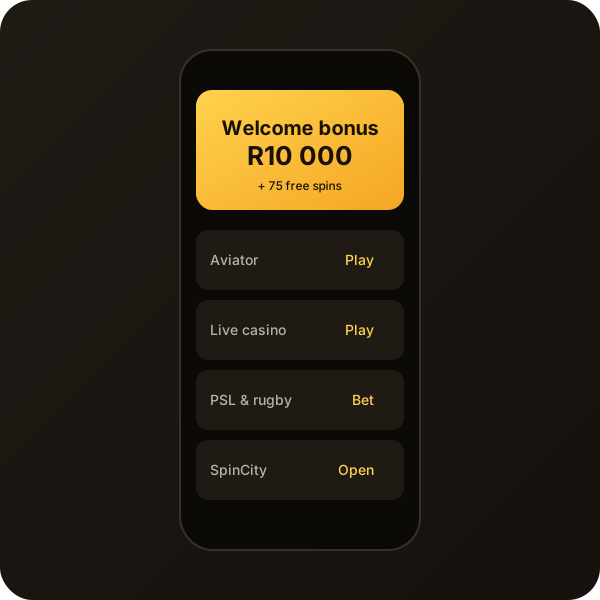
What you get in the Jabula Bets app
Aviator & crash games
Play Aviator with two-bet mode and auto cash-out. All crash titles from the desktop platform are available in the app with the same live chat feed.
Sports & live betting
PSL, Springboks, Test cricket, UFC, NBA, ATP and CS2 with one-tap bet slips, cash-out and live match tracker.
ZAR payments
Instant EFT, Visa, Mastercard, OTT voucher and 1Voucher all work in-app. Minimum deposit is R10 with no conversion fees.
Biometric login
Enable Face ID, Touch ID or a 4-digit PIN after your first sign-in. Secure and fast — no retyping your password every session.
1 000+ slots
Pragmatic Play, Hacksaw, Play’n GO and NetEnt titles in a searchable library. Save favourites, filter by provider or jackpot size.
Live casino
Evolution roulette, blackjack and baccarat with ZAR tables. Game shows like Crazy Time and Dream Catcher stream in HD on 4G and Wi-Fi alike.
Jabula Bets App Download: Android Guide
The Jabula Bets login download for Android is available directly from the Google Play Store. Because the app falls under regulated gambling software, it requires a single one-time permission during install. Here is the full process for South African Android users:
- Open the Google Play Store on your Android phone or tablet.
- Search Jabula Bets or tap the Google Play button above.
- Tap Install. The file is under 40 MB and downloads in seconds on LTE.
- Open the app and tap Log in if you already have a Jabula Bets account, or tap Register to start your Jabula Bets registration.
- Enable biometric login when prompted — you will never need to type your password again on that device.
The Jabula Bets register download process is identical to the website registration. Your details, balance and bet history sync instantly between web and app.

Jabula Bets App for iPhone: iOS Installation
iPhone users have two options. The native App Store app is the recommended route: tap the App Store badge above, confirm with Face ID and the install completes in under a minute. Alternatively, iOS users can add the web app to the home screen directly from Safari — tap the share icon and choose Add to Home Screen. The web app icon sits on your home screen like a native app and opens in full-screen mode without browser chrome.
Both iOS options share the same features. The native app supports push notifications for live odds changes and bonus activations; the web app uses in-browser notifications. If you have already completed Jabula Bets register login on another device, your account is immediately accessible after the first sign-in on iPhone.

How to Register on the Jabula Bets App
The Jabula Bets register download flow is designed to be completed in under three minutes, including phone verification. Follow these steps:
- Open the app and tap Sign up.
- Enter your South African mobile number. A 6-digit OTP arrives by SMS within 30 seconds.
- Fill in your full name, ID number, date of birth and email address.
- Create a strong password (8+ characters, at least one digit).
- If you have a Jabula Bets promo code, enter it now in the bonus field.
- Accept the Terms & Conditions and confirm you are 18 or older.
- Tap Create account. Your account is live immediately.
You do not need to re-verify between the app and the website. The same credentials work everywhere. Your first deposit unlocks the Jabula Bets welcome bonus — up to R15 000 plus 250 free spins for new South African players.
Jabula Bets Register Login: Switching Between Devices
One of the biggest advantages of the Jabula Bets platform is true multi-device continuity. A bet placed on your laptop at home shows up in real time on your phone. Cash-out during a live PSL match from the stadium on mobile. Check your balance at the office on desktop. The session syncs across all devices simultaneously — there is no need to log out and back in when you switch screens.
Trusted devices stay logged in for 30 days. On a new or shared device, enter your email and password as usual. Enable 2FA in account settings to protect your balance on any device you do not own outright. Full instructions are on our login and account access guide.

App Performance and Data Usage
The Jabula Bets app is built for South African network conditions. Slots load fully in under three seconds on a standard 4G connection and remain playable on 3G with minor delay. Live casino streams are adaptive — on slow connections the video quality drops before the game pauses, so you never miss a roulette spin or Aviator round due to buffering.
Typical data usage: around 5 MB per 30-minute sports session (live odds updates), 25 MB per hour for Aviator, and 80–120 MB per hour for live video casino streams at HD quality. Switch to the SD quality option under App Settings to halve the live casino data consumption on metered connections.
The app does not run background data when closed. Push notifications consume negligible data — less than 0.1 MB per day even with every alert type enabled. Offline mode caches your bet history and account balance for viewing when no signal is available, though live betting and deposits require an active connection.
Troubleshooting Common App Issues
If the app does not load after install, ensure your device OS is Android 8.0+ or iOS 14+. Clear the app cache under Settings → Apps → Jabula Bets → Clear cache and relaunch. For login problems, use the Forgot password option or contact the Jabula Bets support team via live chat for immediate help. The support team can unlock accounts, reset 2FA and verify identity documents within the same chat session.
Jabula Bets App FAQ
Is the Jabula Bets app free to download?
Yes. The Android and iOS apps are free. You only spend money on your actual bets in ZAR. Download from the Google Play Store or App Store using the buttons at the top of this page.
How do I do a Jabula Bets login download on Android?
Search "Jabula Bets" in the Google Play Store and tap Install. Open the app, tap Log in and enter your email and password. First-time users tap Register to complete Jabula Bets registration in the app.
Can I use the same account on the app and website?
Yes. One account works across the Android app, iOS app and website. Your balance, bet history and bonuses sync in real time across all devices.
Does the app support ZAR deposits?
Yes. Instant EFT, Visa, Mastercard, OTT voucher and 1Voucher all work in-app. Deposits start from R10 with no conversion fees. The Jabula Bets sign up bonus activates in-app after your first qualifying deposit.
What Android version do I need?
Android 8.0 (Oreo) or higher. For iOS, version 14 or higher. The app is optimised for mid-range South African devices including common Samsung Galaxy and Huawei models.
What if I forget my password on the app?
Tap Forgot password on the login screen. A reset link is sent to your registered email and a 6-digit code to your phone. Both are valid for 15 minutes. Contact support if you no longer have access to either.